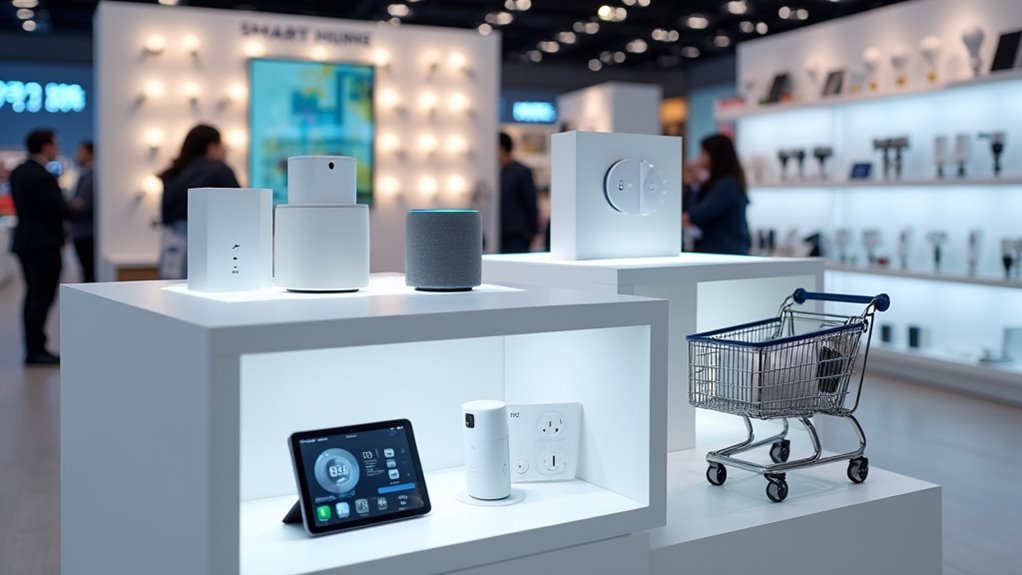
Remote homes face serious security risks. Smart devices with weak passwords? Sitting ducks. Remote work laptops? Even worse. Criminals love finding these unprotected entry points. Basic protection requires encryption, multifactor authentication, and regular security audits—no exceptions. Home networks need VPNs and proper access controls. Even your smart fridge could betray you. Treating security as an ongoing process, not a one-time setup, makes all the difference between safety and regret.

While organizations adopt the flexibility of remote work, security risks have multiplied exponentially. The convenient laptop on your kitchen table might just be the biggest security nightmare your company never wanted. Remote access points are like open windows in a digital house – fantastic for fresh air, terrible for keeping burglars out.
Least-privilege access isn’t just corporate jargon. It’s common sense. Users should only access what they absolutely need, nothing more. Think of it as giving someone a key to your bathroom instead of your entire house.
Regular audits are vital. Old accounts lying around? They’re ticking time bombs. Disable them.
Multifactor authentication is non-negotiable these days. Passwords alone? Please. That’s so 2005. Adding biometrics or authentication apps creates actual security. Implement MFA for all privileged access and VPN connections to effectively protect your most sensitive systems.
And don’t even think about using SMS for authentication – it’s about as secure as whispering your password in a crowded coffee shop.
Zero Trust isn’t paranoia – it’s wise in today’s world. “Never trust, always verify” should be tattooed on every IT manager’s forehead.
Every device and user should prove themselves worthy before touching sensitive data. Continuous evaluation means security isn’t a one-and-done deal.
Data encryption matters everywhere. BitLocker, FileVault – use them. Encryption during transit and at rest isn’t optional anymore.
VPNs should employ robust encryption protocols like IPsec or SSL/TLS. Anything less is just digital nudity.
Endpoint protection means comprehensive defense. Antivirus software, hardened devices, monitored endpoints. A remote laptop without security is practically a welcome mat for hackers. Ensure third-party plugins are regularly vetted as they can significantly impact your security posture.
Incident response plans need practice. Regular simulations matter. Users must recognize phishing attempts – they’re getting smarter while people, unfortunately, aren’t.
Detailed audit trails are necessary. Without them, you’re flying blind when breaches happen.
The bottom line? Remote security isn’t something you set and forget. It’s a continuous process requiring vigilance, updates, and occasional paranoia.
The convenience of working in pajamas shouldn’t come at the cost of your company’s digital safety. Smart home devices with weak passwords create additional entry points for attackers, potentially compromising your entire network.
Did You Know
How Often Should I Update My VPN Software?
VPN software updates should happen weekly, at minimum. No excuses. Hackers don’t wait, neither should you.
Enable automatic updates if available—it’s just easier. Manual updates? Mark the calendar.
Critical vulnerabilities get patched rapidly, and missing these updates leaves systems wide open. Serious security flaws in VPN protocols emerge regularly.
The threat landscape changes fast. Weekly checks, people. Security isn’t optional.
Can Hackers Bypass Two-Factor Authentication?
Yes, hackers can definitely bypass two-factor authentication. Nothing’s foolproof.
They use phishing attacks to trick users into revealing authentication codes, employ social engineering tactics, execute SIM swapping to intercept SMS tokens, and launch man-in-the-middle attacks.
Password reset exploits and weak authentication factors create additional vulnerabilities. Plus, many users remain blissfully unaware of these threats.
Security experts actually warn against over-reliance on 2FA. It’s good, not perfect.
Are Free Remote Access Tools Safe to Use?
Free remote access tools? Not exactly a security dream.
They often lack robust authentication and encryption, making them prime targets for attackers.
Outdated versions? Security nightmares. Most free options skimp on critical protections while premium alternatives don’t.
They’re particularly risky on public Wi-Fi.
Bottom line: these conveniences come with serious security tradeoffs. For non-sensitive tasks, maybe. For anything important? You’re basically inviting trouble in.
What’s Better: Hardware or Software Firewalls for Home Networks?
For home networks, software firewalls win on budget—they’re cheap or free.
Hardware firewalls crush it on performance though. They don’t slow your system down. Period. Software options eat up your computer’s resources. Not ideal.
Hardware provides better whole-network protection while software just guards one device. Reality check: most homes do fine with router firewalls plus software on individual devices.
Best setup? Both. Protection layering matters.
How Can I Monitor Unauthorized Remote Access Attempts?
Monitoring unauthorized access attempts is dead simple. Check system logs regularly—they don’t lie.
Set up intrusion detection systems to flag suspicious traffic. Weird login times? That’s a red flag. Unknown IPs trying to connect? Block ’em.
Enable failed login alerts and review them weekly. Most routers have built-in tools for this.
SIEM software helps too, if you’re feeling fancy. Nothing beats good log analysis.