
Setting up smart home Wi-Fi requires careful ecosystem selection first. Choose Google Home, Amazon Alexa, or Samsung SmartThings based on existing device compatibility. Position the hub centrally, then download the app and follow setup instructions. Create strong passwords and enable WPA3 encryption. Connect each device through its manufacturer’s app, putting it in pairing mode first. Expect varied connection times. Power cycling solves most issues. The real journey begins after everything’s connected.

Setting up smart home Wi-Fi isn’t rocket science. It’s actually pretty straightforward, if you take the time to plan.
First, households need to select a compatible ecosystem that works with their existing or planned devices. Google Home, Amazon Alexa, and Samsung SmartThings are popular options. They all have their quirks. Some connect to virtually anything, while others are picky about brand loyalty.
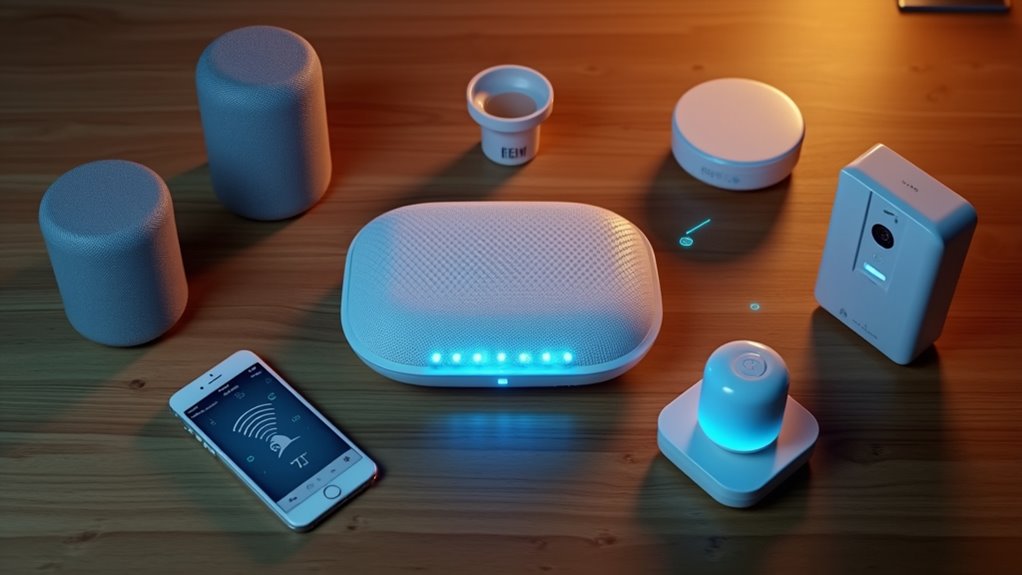
The hub is essential. It’s the brain of the operation. Users download the associated app, create an account, and connect the hub to power. Most hubs require you to check that the LED blinks blue when properly plugged in and ready for setup. Placement matters—central location, minimal obstructions. The app walks through the setup process. Nothing fancy.
Your smart hub isn’t just hardware—it’s command central. Position it thoughtfully for maximum coverage and minimal headaches.
Security can’t be an afterthought. Smart homes are only as secure as their Wi-Fi networks. Strong passwords are non-negotiable. WPA3 encryption should be enabled. Most smart home devices work best with WPA2 security for optimal device compatibility. Guest networks separate IoT devices from computers and phones. Makes sense, right? Nobody wants their refrigerator hacking their laptop.
Adding devices requires patience. Each gadget typically has its own app—annoying but necessary. Devices need to enter pairing mode, which varies by manufacturer. Some connect instantly. Others throw tantrums. Testing is essential after setup.
Wi-Fi performance makes or breaks the smart home experience. Router positioning is everything. Mesh systems work wonders for larger homes. Congested channels create headaches. Quality of Service settings prioritize important devices. Too many simultaneous connections will crash the party.
When things inevitably go wrong, troubleshooting begins with the basics. Turn it off and on again. Update firmware. Check signal strength. Factory resets are the nuclear option. For persistent issues, you might need to press the Reset button on your hub using a paper clip to restore functionality.
Maintenance isn’t optional. Network security requires periodic review. Old hardware eventually becomes a liability. As collections of smart devices grow, network expansion becomes necessary. Diagnostic tools help spot issues before they become problems.
Smart home Wi-Fi setup isn’t perfect. It can be frustrating. But with proper planning and maintenance, it creates a foundation for home automation that actually works. Most of the time, anyway.
Did You Know
Will a Smart Home Wi-Fi Network Reduce My Internet Speed?
A smart home Wi-Fi network can definitely slow internet speeds.
Too many devices compete for bandwidth—those security cameras? Total data hogs. Older routers just can’t handle it.
Physical barriers like walls make things worse. Streaming Netflix while your smart fridge updates? Recipe for digital traffic jams.
The solution isn’t rocket science—better routers, strategic placement, and adequate internet plans make the difference.
Some people just collect devices without thinking about consequences.
Can I Control Smart Devices When Away From Home?
Yes. Most smart devices can be controlled remotely through dedicated apps.
Samsung SmartThings, Philips Hue, Control4—they all offer this feature. It’s pretty standard. These systems work through cloud services, meaning your commands travel through the internet to reach your devices.
Some require port forwarding or VPNs for access. Security’s built-in with passwords and encryption.
Bottom line: your smart home doesn’t hibernate when you leave.
Are Smart Home Wi-Fi Networks Secure Against Hackers?
Smart home Wi-Fi networks aren’t inherently secure. Default passwords, weak encryption, and outdated protocols create serious vulnerabilities.
Hackers exploit these through packet sniffing, FragAttacks, and KRACK attacks. Amazing how easily they can hijack your fancy gadgets!
Better protection requires strong passwords, regular updates, WPA3 encryption, and network segmentation.
Even then, complete security isn’t guaranteed. The uncomfortable truth? More devices equal more potential entry points for attackers.
Do All Smart Devices Work With Every Wi-Fi System?
Not all smart devices work with every Wi-Fi system. Period. Compatibility issues abound. Different frequency bands (2.4 GHz vs 5 GHz), proprietary protocols, and security standards create real headaches for consumers.
Older devices might not support newer Wi-Fi features.
And let’s be honest—manufacturers don’t always play nice together. Some deliberately limit cross-brand communication.
For seamless operation, devices need matching frequency support and sufficient network speeds.
No way around it.
How Much Data Do Smart Home Devices Typically Use Monthly?
Smart home data usage varies dramatically by device type.
Security cameras are the data hogs—300-400GB monthly at high settings.
Smart TVs? Absolute bandwidth crushers when streaming 4K (850GB+ monthly).
Meanwhile, thermostats barely register at 50-100MB monthly.
Smart speakers and hubs use a modest 2-3GB.
Multi-device homes can easily exceed 1TB monthly.
The difference between devices is staggering.
Cameras and TVs destroy data caps.
Thermostats? Barely a blip.